Git
GitLab Runner 설치 및 등록 ( version 18.5.0 )
데이터공부방
2025. 12. 4. 19:09
GitLab Runner는 GitLab CI/CD 파이프라인을 실행하는 에이전트(작업 실행기)
즉, GitLab에서 정의한 빌드·테스트·배포 작업을 실제로 수행하는 프로그램이다.
GitLab Runner 파일 다운로드 및 설치
curl -LO https://packages.gitlab.com/runner/gitlab-runner/packages/el/8/gitlab-runner-18.5.0-1.x86_64.rpm/download.rpm
mv download.rpm gitlab-runner-18.5.0-1.x86_64.rpm
sudo dnf install gitlab-runner-18.5.0-1.x86_64.rpm
** runner 설치 시 아래와 같이 gitlab-runner-helper-images가 없다는 문구가 나올 수 있음

- 아래와 같이 gitlab-runner-helper-images rpm 파일 설치
curl -LO https://packages.gitlab.com/runner/gitlab-runner/packages/el/8/gitlab-runner-helper-images-18.5.0-1.noarch.rpm/download.rpm
mv download.rpm gitlab-runner-helper-images-18.5.0-1.noarch.rpm
sudo dnf install -y gitlab-runner-helper-images-18.5.0-1.noarch.rpm gitlab-runner-18.5.0-1.x86_64.rpm
Runner를 등록 할 gitlab그룹 생성
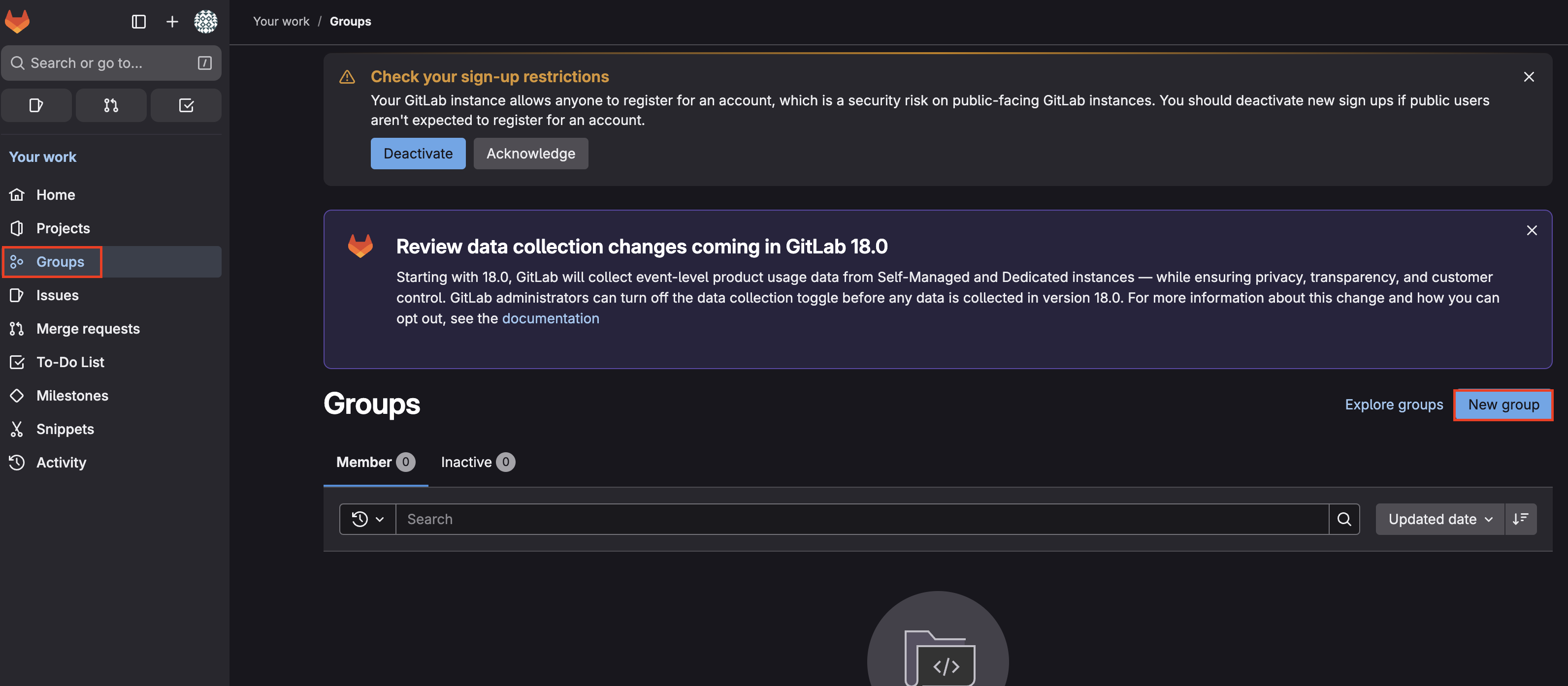
좌측 메뉴 Groups -> New Group 클릭
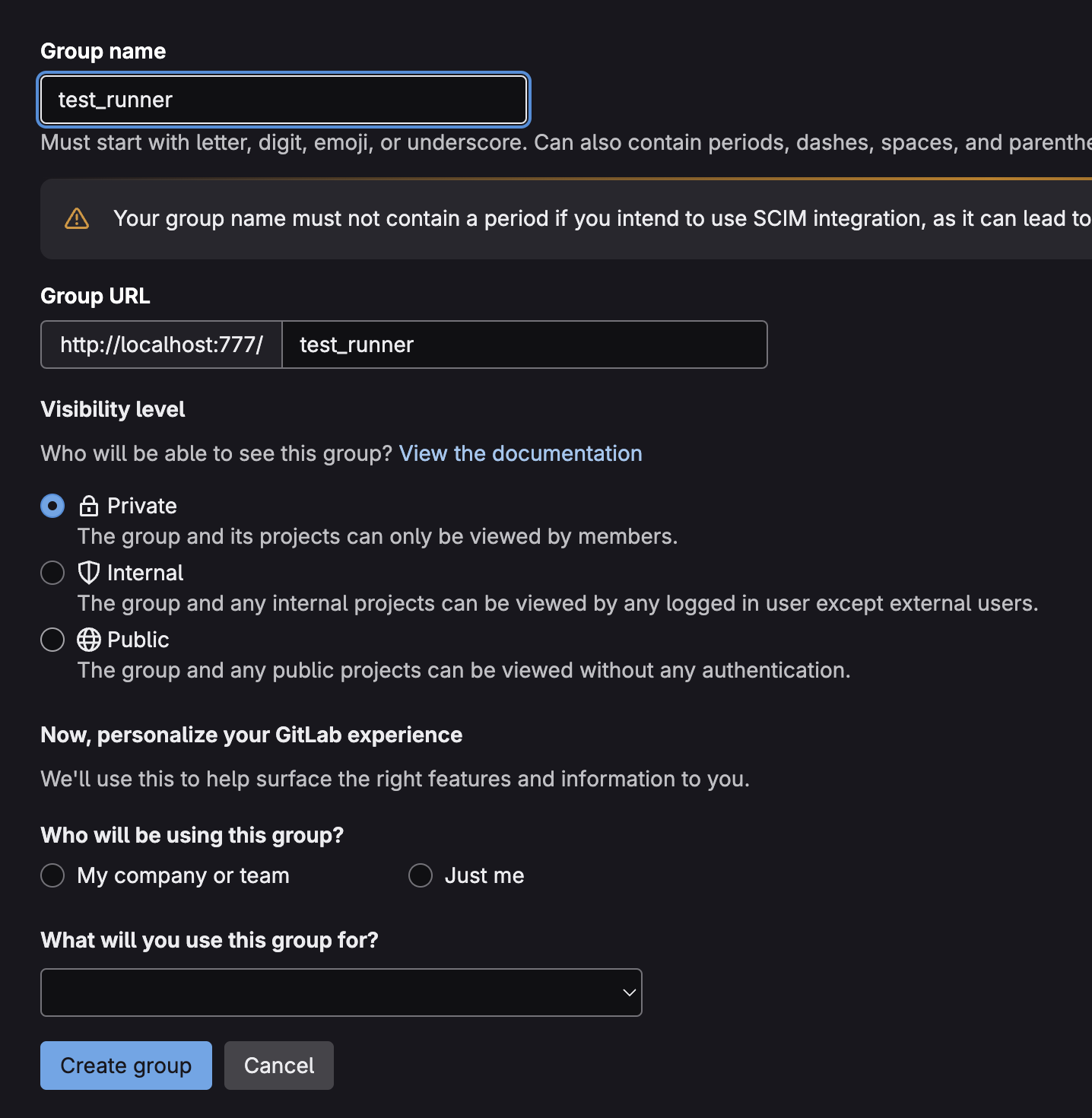
새 그룹 생성

서비스 등록 및 시작, Runner 등록
sudo systemctl enable --now gitlab-runner
Runner Registration token 발급 방법 및 web을 통한 간편 등록 방법
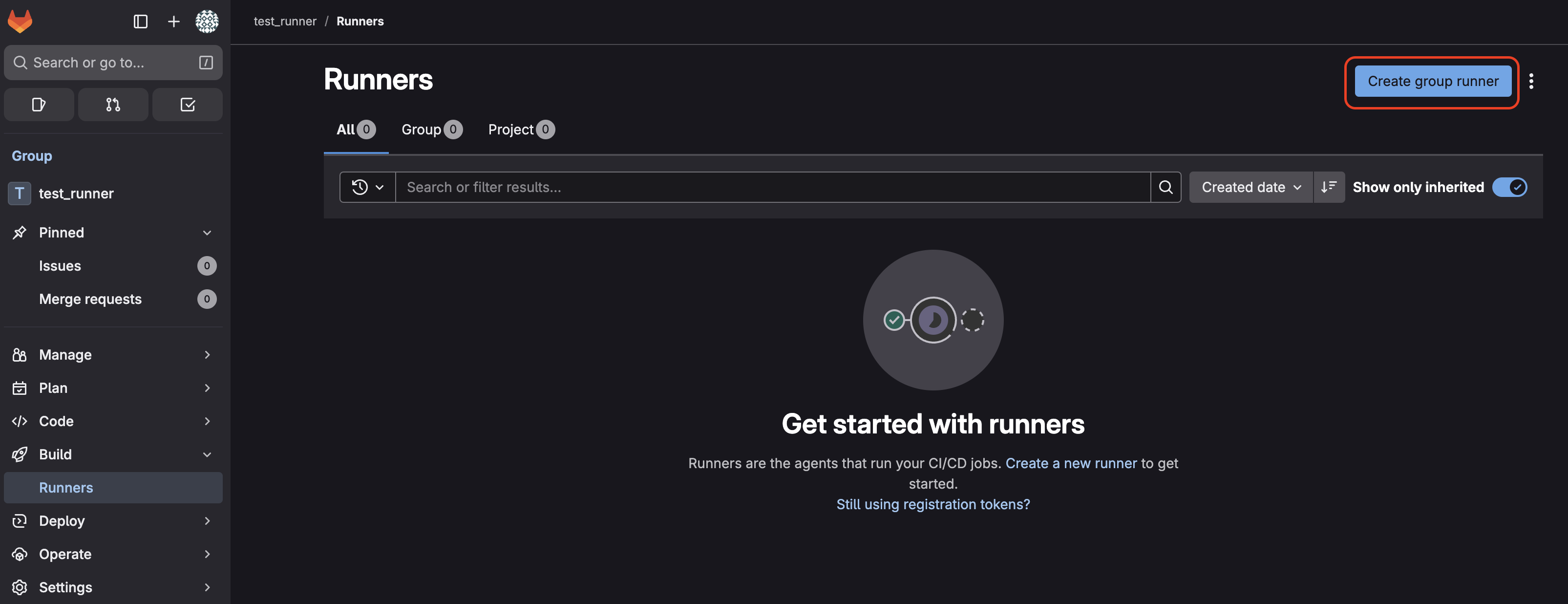
Group에서 Build -> Runners -> Create group runner
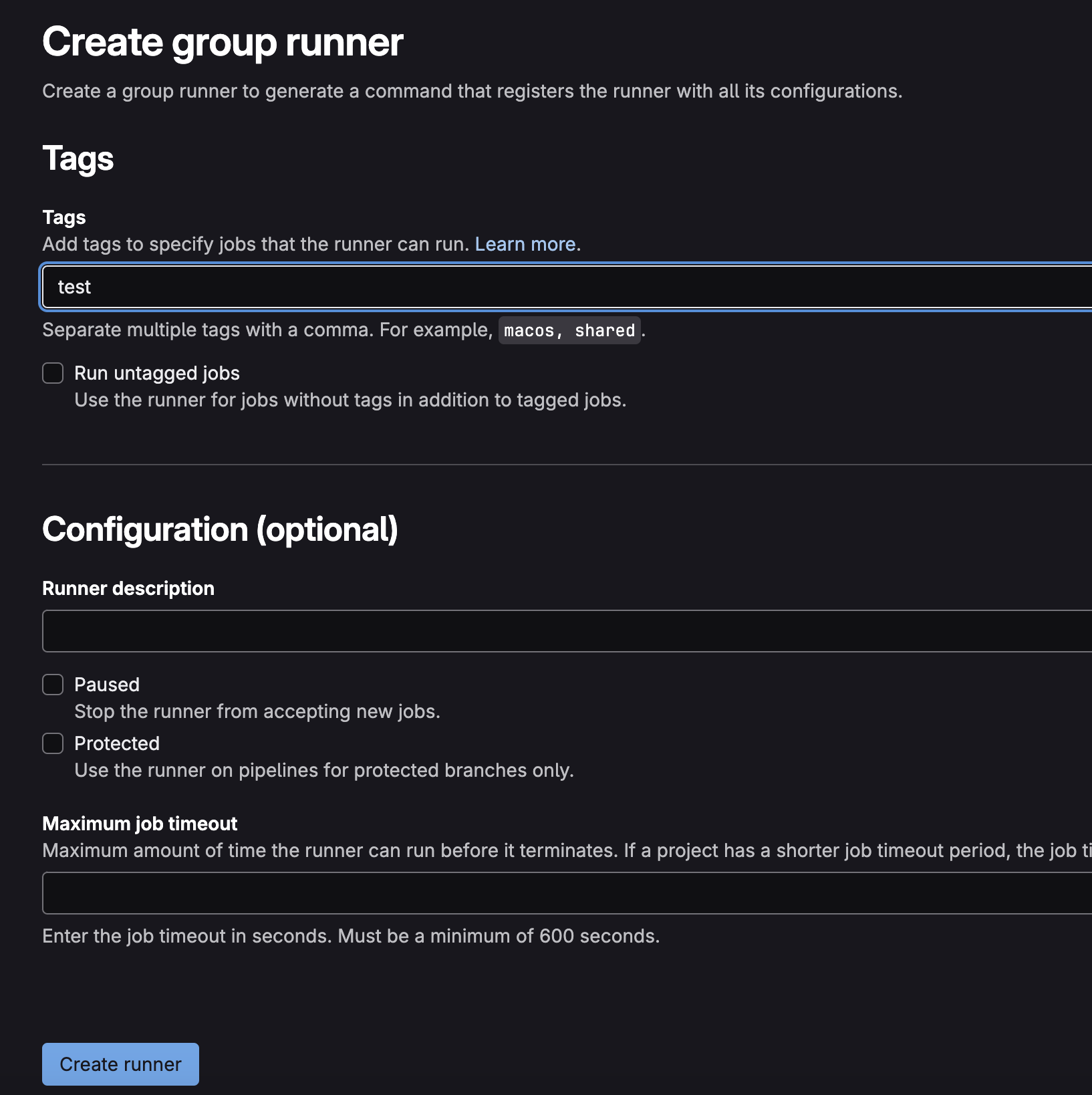
Tags 설정 후 Create runner 진행
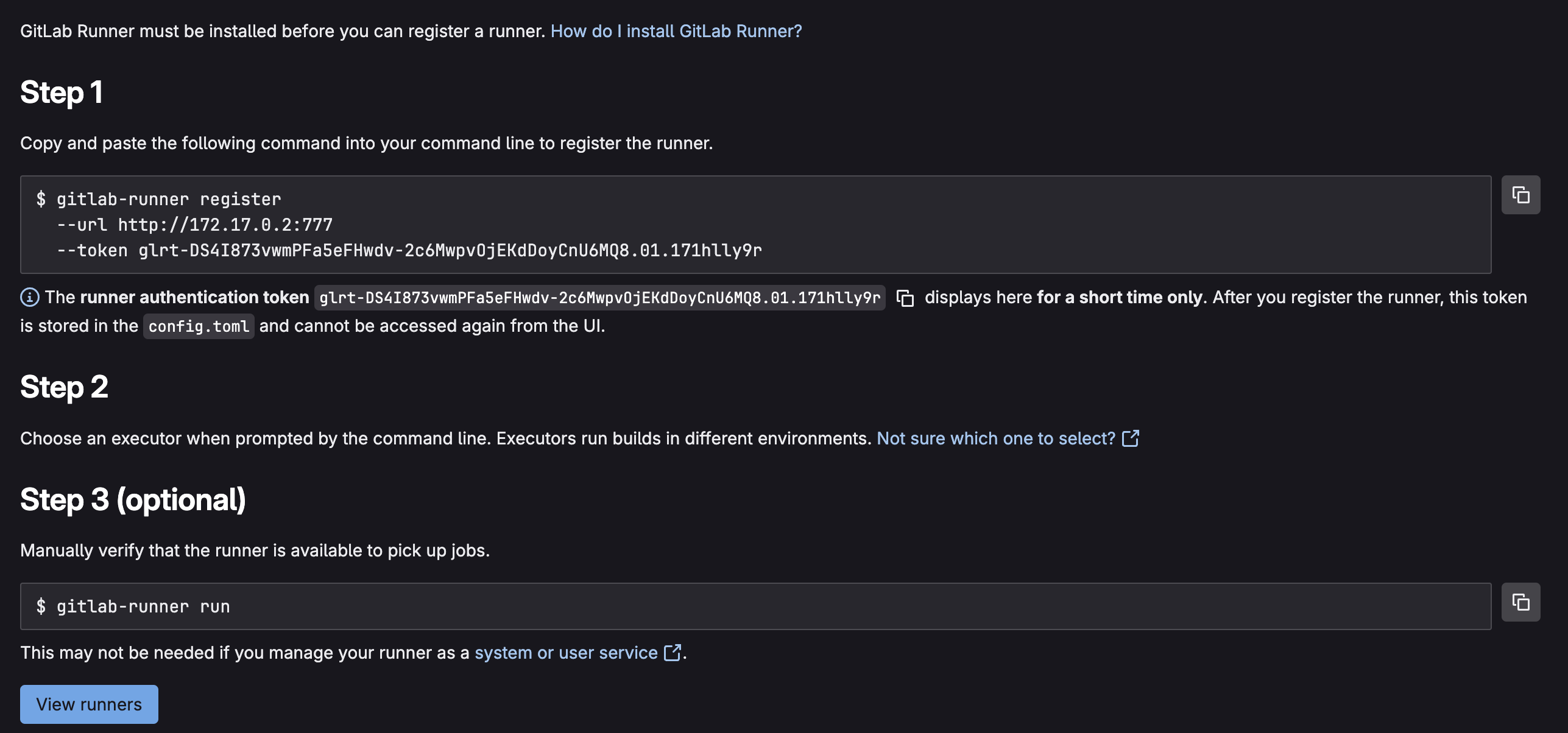
위 페이지 처럼 GitLab Runner를 등록하는 Step이 나와있다.
이미 위에서 gitlab-runner를 설치했기 때문에 Step 순서대로 작업을 진행하면 runner가 정상적으로 등록된다.
- Enter the GitLab instance URL (for example, https://gitlab.com/): http://<GitLab-IP>:777 (혹은 설정하신 포트)
- 위 명령어로 실행 시 자동으로 URL이 입력 됨 - Enter a name for the runner. This is stored only in the local config.toml file : runner 이름
- Enter an executor: custom, shell, ssh, parallels, virtualbox, docker, docker+machine, kubernetes, docker-windows, docker-autoscaler, instance : job을 실행할 환경, 여러개 중 용도에 맞게 한 가지 선택
설정을 다 입력하면 runner 등록이 완료되었다고 나온다.

GitLab Runner 확인

Build -> Runners 페이지로 가면 등록했던 Runner 리스트 및 현재 상태를 확인할 수 있다.

gitlab runner status 확인